• Dapps:16.23K
  • Blockchains:78
  • Active users:66.47M
  • 30d volume:$303.26B
  • 30d transactions:$879.24M
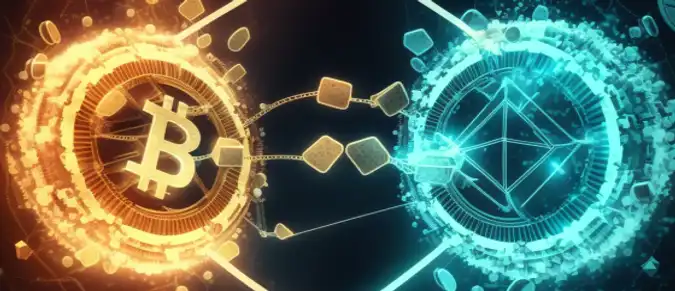
How to transfer cryptocurrencies from one blockchain to another

How to transfer cryptocurrencies from one blockchain to another

user avatar

by Alexandra Smirnova

3 years ago


There are several reasons why people transfer cryptocurrencies. Cryptocurrencies allow individuals to transfer funds directly to each other without the need for an intermediary such as a bank or payment processor. This can be particularly useful for individuals who don't have access to traditional banking services. Compared to traditional payment methods, cryptocurrency transactions often have lower transaction fees. This can be particularly useful for international transactions, where traditional banking fees can be high. Cryptocurrency transactions can often be processed faster than traditional payment methods, particularly for international transactions.

While not all cryptocurrencies offer complete anonymity, many offer a level of privacy that traditional payment methods do not. This can be particularly appealing to individuals who value their privacy.

To transfer cryptocurrencies from one blockchain to another, you will need to follow these general steps:

  1. Choose the cryptocurrency and the blockchain you want to transfer to: You need to select the cryptocurrency you want to transfer and the blockchain you want to transfer it to. For example, you might want to transfer USDT from the Ethereum blockchain to the Binance Smart Chain blockchain.

  2. Choose a wallet that supports both blockchains: You will need to find a wallet that supports both the blockchain you are transferring from and the one you are transferring to. There are various multi-currency wallets available that can support this.

  3. Obtain the recipient wallet address: Obtain the wallet address of the recipient's wallet on the blockchain you want to transfer to.

  4. Connect your crypto wallet to a DEX that supports multi-chain exchanges. For example Sushiswap.
  5. Initiate the transfer: You will need to initiate the transfer from your wallet on the blockchain you are transferring from. You will need to provide the recipient's wallet address and the amount you want to transfer.

  6. Wait for confirmation: The transaction will need to be confirmed on both blockchains before the transfer is completed. This process can take some time, depending on the blockchain and the amount of activity on it.

It's important to note that transferring cryptocurrencies between blockchains can be complex, and there are risks involved, such as transaction fees and potential errors. It's important to double-check all information before initiating the transfer, and to consider seeking professional advice if you're not confident in the process.

0

Rewards

chest
chest
chest
chest

More rewards

Discover enhanced rewards on our social media.

chest

Other articles

Uniswap CCA Review: Tokenomics, Technology, Fundraising Model, and Growth Potential

chest

Comprehensive overview of Uniswap CCA covering its concept, technology, tokenomics, fundraising strategy, risks, and long-term potential in the DeFi ecosystem.

user avatarElena Ryabokon

Coin Terminal Review: How the Web3 Launchpad and Token Sale Model Work

chest

A detailed overview of Coin Terminal, a Web3 launchpad for early-stage blockchain projects. Learn about its model, tokenomics, access tiers, and investment risks.

user avatarElena Ryabokon

BullPerks Review: Launchpad Model, Tokenomics, and Web3 Investment Opportunities

chest

An in-depth overview of BullPerks, a Web3 launchpad for early crypto projects. Learn about its model, tokenomics, access tiers, and potential risks.

user avatarElena Ryabokon

The Harvest Review: Gameplay, NFTs, Tokens, and Blockchain Shooter Technology

chest

An in-depth look at The Harvest, a competitive PvP shooter with NFTs, tokens, and Web3 infrastructure. Explore its gameplay, roles, economy, and blockchain technology.

user avatarElena Ryabokon

NAKA Blast Review: Gameplay, Tokens, NFTs, and Play-to-Earn Mechanics

chest

In-depth overview of NAKA Blast, a play-to-earn arcade shooter in the Nakamoto Games ecosystem, covering gameplay, NFTs, token economy, and blockchain technology.

user avatarElena Ryabokon

Spores Network Review: NFT Marketplace, Launchpad, and Web3 Infrastructure

chest

In-depth overview of Spores Network, a multichain platform combining an NFT marketplace, launchpad, and Web3 tools for digital asset creation and project fundraising.

user avatarElena Ryabokon

Important disclaimer: The information presented on the Dapp.Expert portal is intended solely for informational purposes and does not constitute an investment recommendation or a guide to action in the field of cryptocurrencies. The Dapp.Expert team is not responsible for any potential losses or missed profits associated with the use of materials published on the site. Before making investment decisions in cryptocurrencies, we recommend consulting a qualified financial advisor.