
Genesis Farm logo

Genesis Farm

Total Users
- No data available.
Rewards
chest
chest
chest
chest
Volume
The fiat value of incoming dapp transactions over a period of time
- No data available.
Contract Balance
The total fiat value of assets in a dapp's smart contracts
- No data available.
Category
- No data available.
Blockchain
- No data available.
Language
- No data available.
Official links
Social media

News

Stablecoin Payment Transactions Surge Despite Flat Supply

A new report reveals a significant increase in stablecoin payment transactions, contrasting with stagnant supply levels.
user avatar

Arif Mukhtar

MARA Holdings Transfers 1,000 BTC to Exchanges Amid Market Scrutiny

MARA Holdings has transferred approximately 1,000 BTC to Binance and Gate over the past five days, raising questions about its treasury movements.
user avatar

David Robinson

CryptoBilis Case Exposes Vulnerabilities in Hardware Wallets

The CryptoBilis case reveals vulnerabilities in hardware wallets, leading to $90 million in losses due to tampered devices.
user avatar

Maria Gutierrez

What is Genesis Farm?

Genesis Farm — a decentralized application on the Binance smart chain. The smart contract has been verified by a third party auditor and is available on BSCscan.
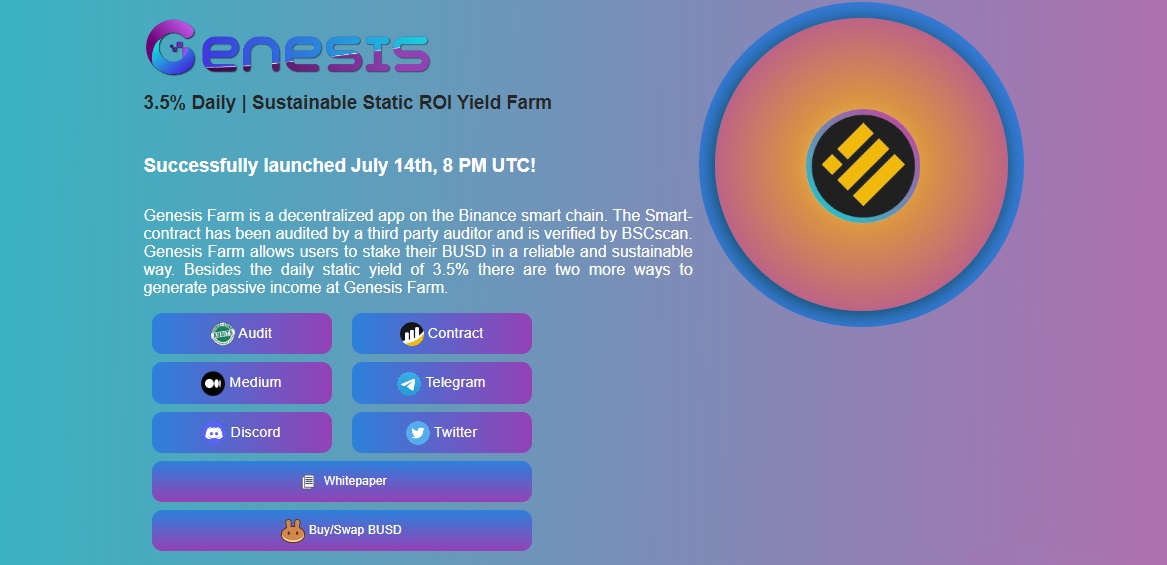
Genesis Farm - a decentralized project for earning through investments

Genesis Farm allows users to stake their BUSD securely and sustainably. In addition to the daily static yield of 3.5%, there are two other ways to earn passive income at Genesis Farm. You can withdraw earnings as long as there is a balance in the contract. Invite an unlimited number of users and earn commissions up to 8% for 10 levels.

How to deposit:

1. Enter website address in Metamask/TokenPocket/Trust Wallet/SafePal Dapp browser.
2. Buy BUSD on Pancakeswap and confirm your desired amount of BUSD.
3. Submit and wait for block confirmation.
4. Enter the purchase amount.
5. Click "Deposit BUSD" and wait for the block to be confirmed.

You can use the MetaMask extension in Chrome if you are using a PC. You must add the BSC network to your wallet, open busd.genesisfarm.app and click connect. For mobile devices, you can download the Metamask/Trust Wallet/SafePal/TokenPocket app from the App/Play Store.

Once installed, you can create a new BNB wallet or import an existing BNB wallet. You can open busd.genesisfarm.app in your DApp browser, select the BSC network and connect to the DApp. After connecting to the DApp, you will be able to deposit/withdraw funds and invite friends through your referral link.

Important disclaimer: The information presented on the Dapp.Expert portal is intended solely for informational purposes and does not constitute an investment recommendation or a guide to action in the field of cryptocurrencies. The Dapp.Expert team is not responsible for any potential losses or missed profits associated with the use of materials published on the site. Before making investment decisions in cryptocurrencies, we recommend consulting a qualified financial advisor.