



SmolSwap — a decentralized trading platform on the Cronos network where you can trade and earn in a safe, easy and fun way.
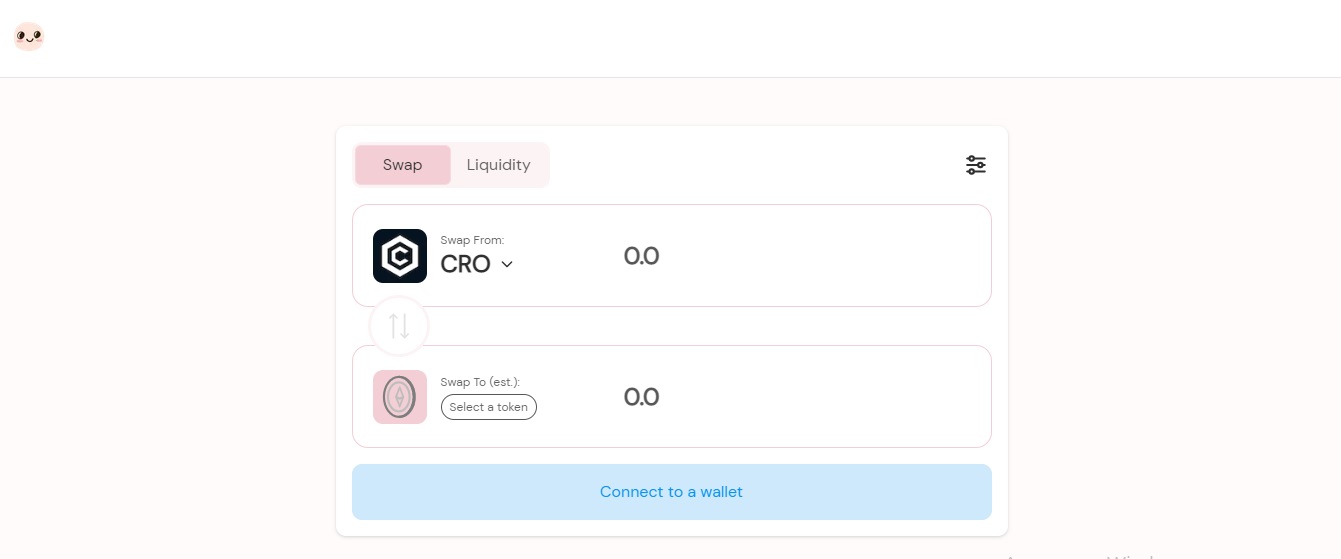
Description of the SmolSwap exchange
In addition to launching a decentralized cryptocurrency exchange, SmolSwap aims to develop a set of innovative DeFi products and be at the forefront of the next major project for DeFi, DeFi 2.0. Instantly exchange one token for another with automated liquidity pools. When you trade on an exchange, you pay a 0.3% trading fee, which is sent to the SmolSwap treasury for future $SMOL buybacks and burns.
Main advantages:
| 1. | The low fees on the Cronos network plus the smol fees on SmolSwap allow you to keep more of your trading profits. |
| 2. | SmolSwap does not hold your funds when you trade - you can trade directly from your wallet app. |
| 3. | Stake your tokens on farms to earn SMOL. |
You can provide liquidity by adding your token pairs to liquidity pools. When you do this, you will receive Liquidity Pool Tokens (LP), which can be viewed in the Pool tab. For example, if you put SMOL and CRO into the liquidity pool, you will receive SMOL-CRO LP tokens. The received LP token represents your part of the SMOL-CRO liquidity pool. You can remove liquidity at any time by redeeming your LP tokens. Stake liquidity pool tokens (LP) to earn SMOL.
$SMOL — SmolSwap's native token. You can get a token through earnings on farms, as well as by buying on the exchange. Stake on farms to earn more SMOL. Provide liquidity for the SMOL-WCRO liquidity pair and stake LP tokens on farms to earn more SMOL. Also, you can get tokens for further voting on proposals, related to the SmolSwap ecosystem. There is no hard cap on the SMOL token as the main function of SMOL — to incentivize the provision of liquidity to the exchange.
How is trade carried out?
First of all, go to the SmolSwap website. In the upper right corner, click "Connect to Wallet" to make sure your wallet is connected. It is better to use MetaMask if you don't already have a wallet. After connecting your wallet, you can choose the currency you want to exchange and the amount you would like to exchange. After clicking the "Exchange" button, click "Confirm Exchange" in the next pop-up window. Make sure you have enough CRO to pay for gas and confirm the transaction in your wallet popup.