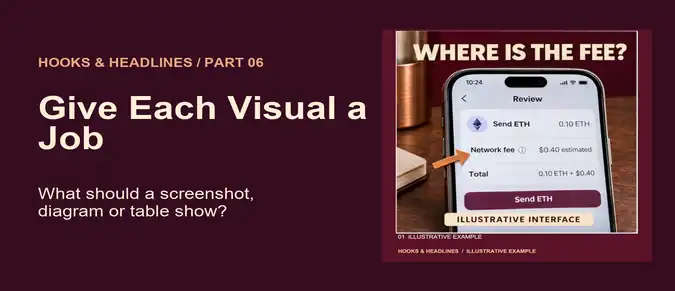

Use a screenshot to locate something
A wallet screenshot can show where a fee estimate appears before approval. Crop around the field and leave enough context to identify it. Mark mockups as illustrative and remove account addresses, balances and other irrelevant details.
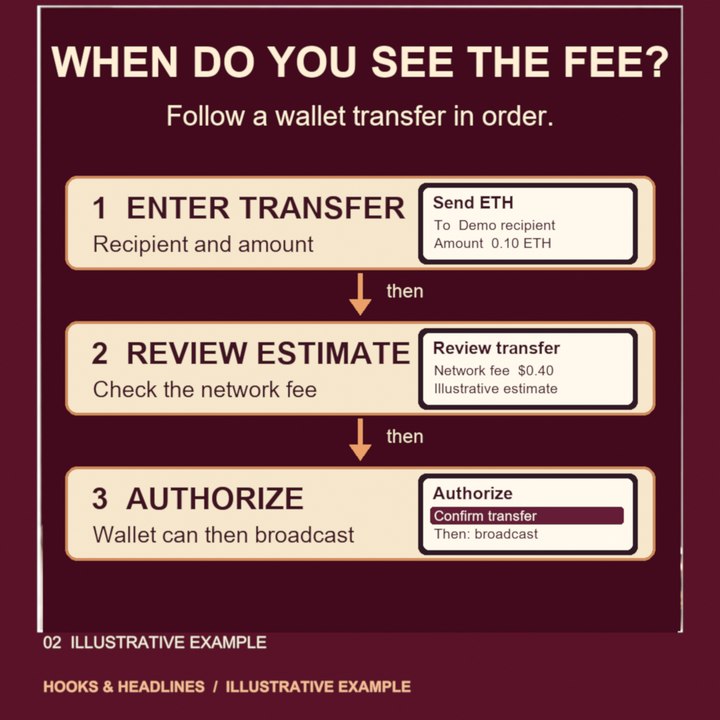
Use a diagram to show what changes
A process diagram can show the steps from entering a transaction to reviewing the estimate, authorizing and broadcasting. Label the arrows so the reader knows whether they represent order or a transfer of data. A screenshot of a single moment cannot establish how the process works.
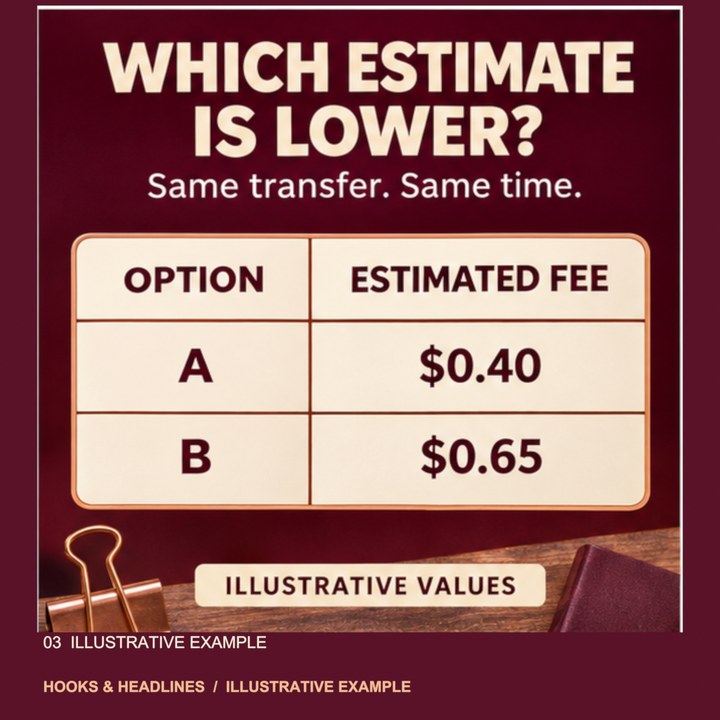
Use a small table when values need comparison
If the reader must compare fee estimates, use aligned rows with the same units and clearly named scenarios. State the network and time for real observations. An illustrative table can teach how to read a quote; it should not imply that a particular amount is current or guaranteed. The Ethereum gas documentation distinguishes the gas used and the price paid per unit.
Choose one job for each visual
Ask whether the reader needs to find a field, follow a process or compare values. A photo or screenshot locates; a diagram connects; a small table compares. Use more than one only when the reader needs more than one of those answers.